6. Filaments
URL: http(s)://url/filaments
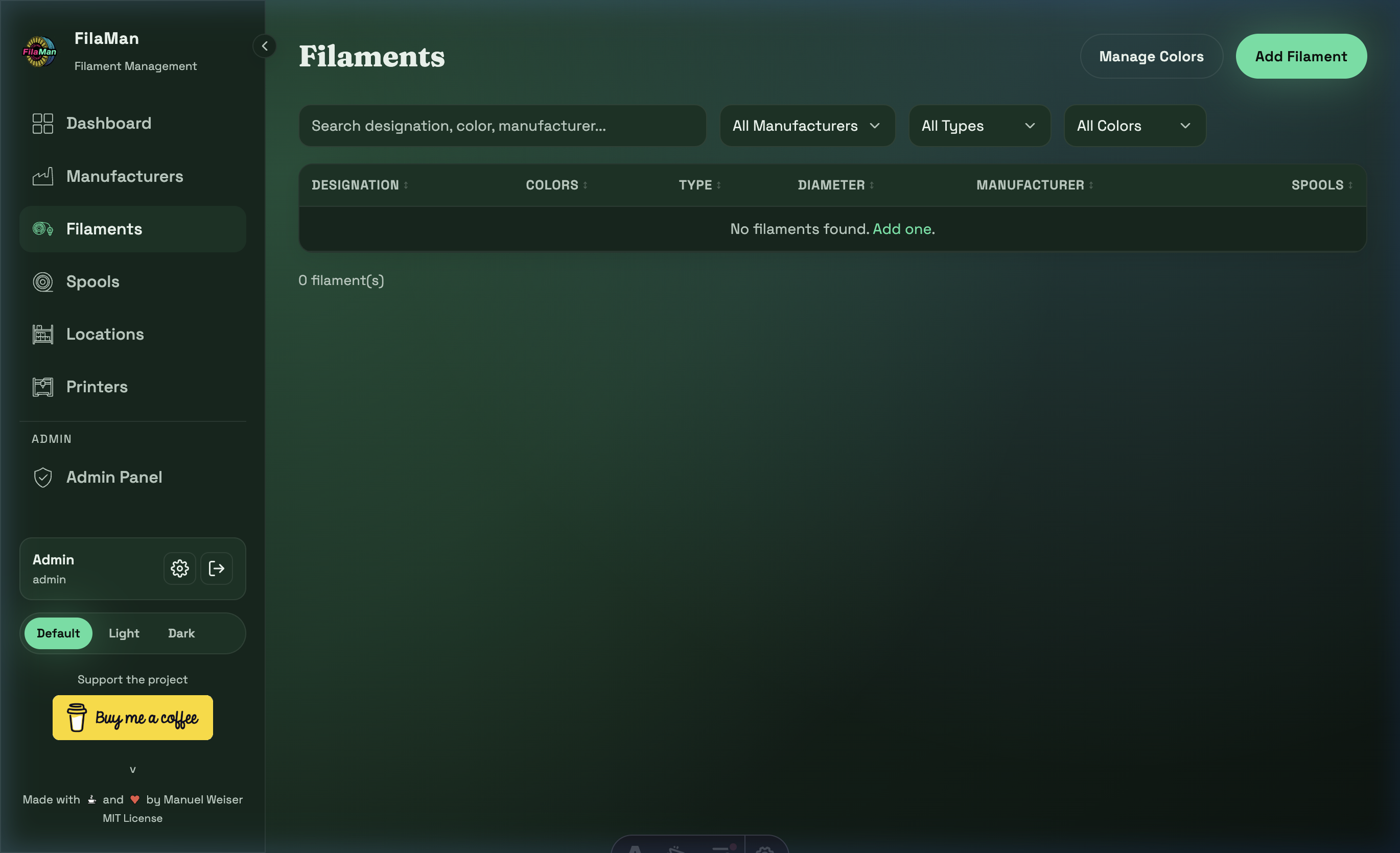
The Filaments page lists all filament products registered in your system. A filament is a product template (e.g. "Prusament PETG Galaxy Black 1.75 mm") to which physical spools are then assigned.
Table Columns
| Column | Description |
|---|---|
| DESIGNATION | Name / designation of the filament |
| COLORS | Assigned colors (displayed as colored circles) |
| TYPE | Material type (e.g. PLA, PETG, ABS, TPU) |
| DIAMETER | Spool diameter in mm (e.g. 1.75 mm) |
| MANUFACTURER | Assigned manufacturer |
| SPOOLS | Number of spools in stock for this filament |
Features
Search
The search bar searches designation, color, and manufacturer simultaneously.
Filters
- All Manufacturers – Show only filaments from a specific manufacturer
- All Types – Filter by material type (PLA, PETG, ABS, etc.)
- All Colors – Filter by color
Add a Filament
Click "Add Filament" in the top right. The form contains:
- Designation – Name / designation of the filament
- Manufacturer – Associated manufacturer (dropdown)
- Type – Material type
- Diameter – Diameter (default: 1.75 mm)
- Colors – Assign one or more colors
- Min. Weight – Minimum weight threshold (used for low-stock alerts)
- Price per kg – Price for value calculation (optional)
- Article Number – Article number (optional)
Color Management
Click "Manage Colors" in the top right to go to the Color Management page, where you can create and manage colors.