5. Manufacturers
URL: http(s)://url/manufacturers
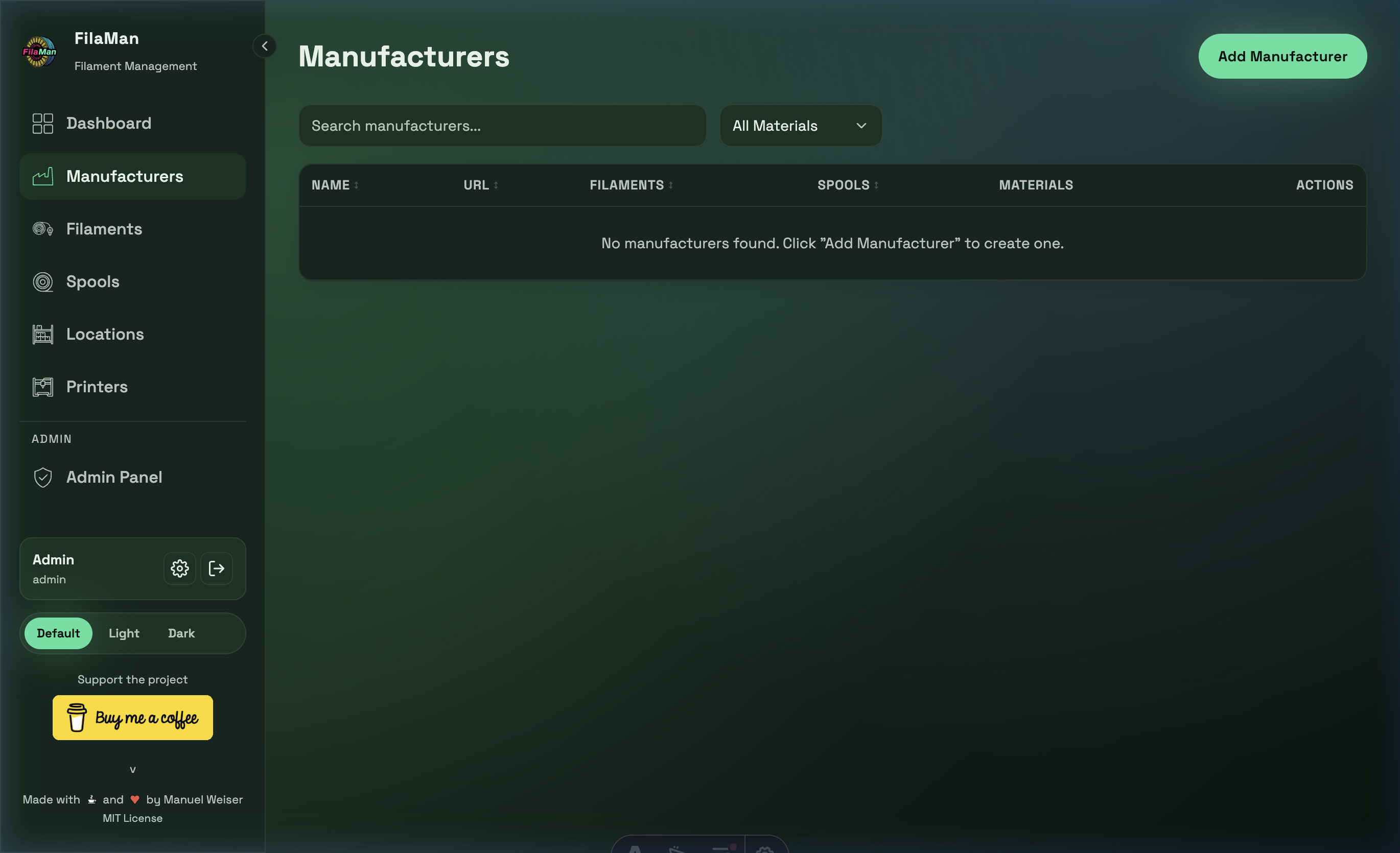
The Manufacturers page is where you manage all filament manufacturers whose products you want to track in the system. Each manufacturer can have multiple associated filaments.
Table Columns
| Column | Description |
|---|---|
| NAME | Name of the manufacturer |
| URL | Manufacturer's website (clickable link) |
| FILAMENTS | Number of filament types registered for this manufacturer |
| SPOOLS | Number of spools from this manufacturer currently in stock |
| MATERIALS | Materials used (e.g. PLA, PETG, ABS) |
| ACTIONS | Edit / Delete buttons |
Features
Search
Use the search bar at the top left to filter manufacturers by name.
Filter by Material
The "All Materials" dropdown filters the manufacturer list by a specific filament material (e.g. show only PLA manufacturers).
Add a Manufacturer
Click "Add Manufacturer" in the top right. A dialog will open with the following fields:
- Name – Required: manufacturer name (e.g. "Prusament")
- URL – Optional website address of the manufacturer
Edit a Manufacturer
Click the pencil icon in the ACTIONS column next to a manufacturer.
Delete a Manufacturer
Click the trash icon in the ACTIONS column. A manufacturer can only be deleted if no filaments are assigned to it.