7. Spools
URL: http(s)://url/spools
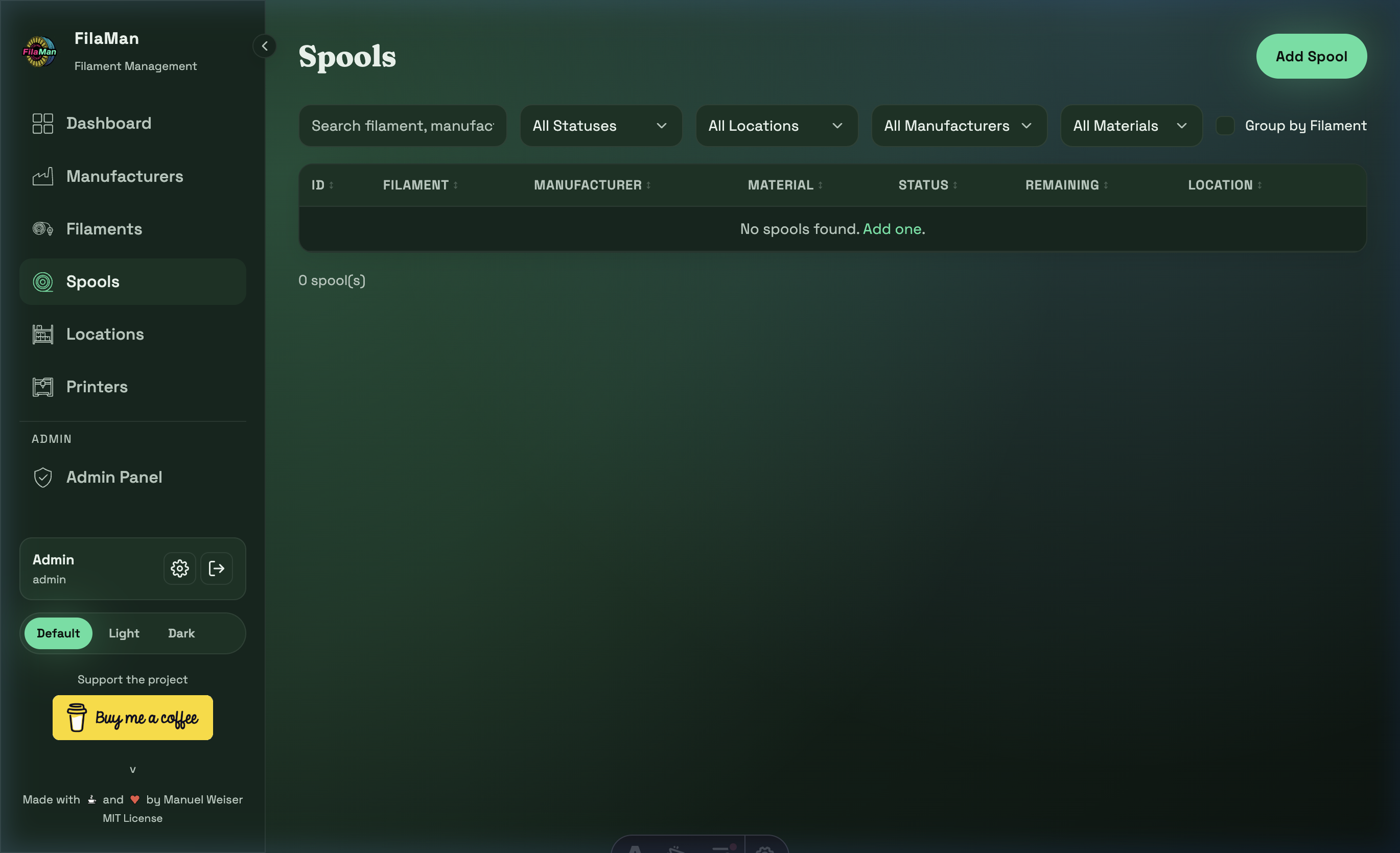
The Spools page shows your physical filament inventory – every individual spool you own. This is the core of FilaMan.
Table Columns
| Column | Description |
|---|---|
| ID | Unique internal ID of the spool |
| FILAMENT | Assigned filament product (name + color) |
| MANUFACTURER | Filament manufacturer |
| MATERIAL | Material type (PLA, PETG, ABS, etc.) |
| STATUS | Current fill level status (Full / Normal / Low / Critical / Empty) |
| REMAINING | Remaining weight in grams |
| LOCATION | Current storage location of the spool |
Features
Search
Searches filament name, manufacturer, and other fields.
Filters
FilaMan offers extensive filtering options for spools:
- All Statuses – Filter by fill level status
- All Locations – Show only spools at a specific location
- All Manufacturers – Filter by manufacturer
- All Materials – Filter by material type
Group by Filament
Toggle "Group by Filament" to group spools by their filament product. This gives a quick overview of how many spools of each filament you have.
Add a Spool
Click "Add Spool" in the top right. The form includes:
- Filament – Select the associated filament product
- Location – Storage location of the spool
- Initial Weight / Remaining Weight – Starting weight and current remaining weight in grams
- Purchase Price – Purchase price (optional, for value calculation)
- Purchase Date – Purchase date (optional)
- Notes – Free-text note
- Extra Fields – If configured by the administrator
Edit / Delete a Spool
In the actions column you can:
- ✏️ Edit – Update spool information (e.g. remaining weight after printing)
- 🗑️ Delete – Remove the spool from the system
💡 Tip: Regularly update the remaining weight of your spools so that the Dashboard and low-stock alerts show accurate values.