3. Navigation & User Interface
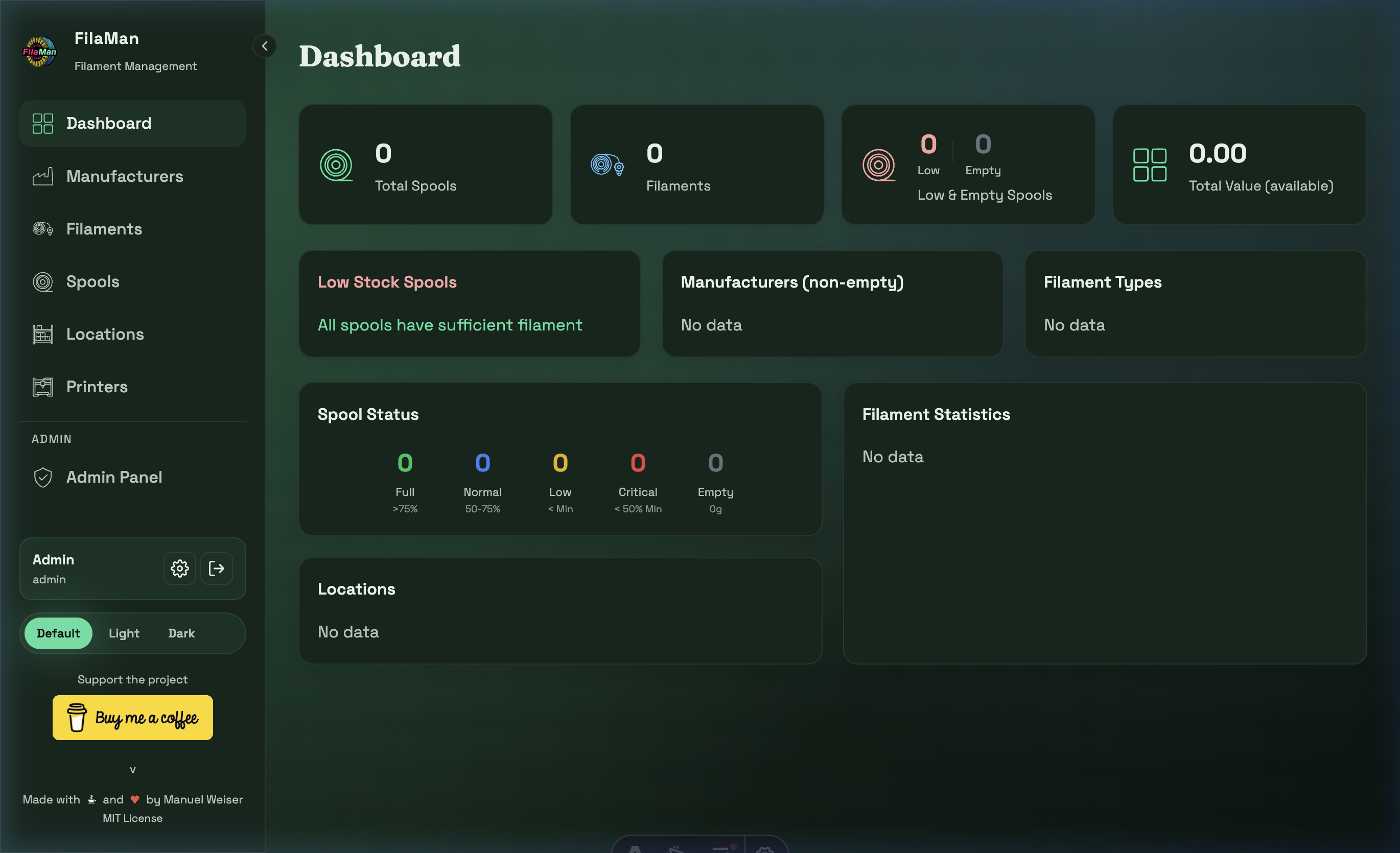
The FilaMan user interface is divided into two main areas:
Sidebar (Left Navigation)
The sidebar contains all main menu items:
| Icon | Menu Item | Description |
|---|---|---|
| 🟩 | Dashboard | Overview page with statistics |
| 📊 | Manufacturers | Manufacturer management |
| 🔵 | Filaments | Filament management |
| ⭕ | Spools | Spool inventory management |
| 🗂️ | Locations | Storage location management |
| 🖨️ | Printers | Printer management |
| 🛡️ | Admin Panel | Administration (admins only) |
At the bottom of the sidebar you will find:
- Your username and role
- The ⚙️ settings icon (opens personal settings)
- The → logout icon (signs you out)
- Color theme switcher (Default / Light / Dark)
Main Area (Right)
The main area displays the content of the currently selected page. All pages follow a consistent layout:
- Page title top left
- Action buttons top right (e.g. "Add Spool")
- Filters and search below the title
- Table or card view in the main area
Switching the Color Theme
In the bottom left of the sidebar you can choose between three color themes:
- Default – Dark green theme (standard)
- Light – Light theme
- Dark – Dark theme